How our donations feature works, and how to set it up!
A new feature of Lil Regie is the ability to request a donation, koha, or other voluntary payment, as part of an event. This new addition brings some changes to our forms, dashboard, and reporting.
What’s changed?
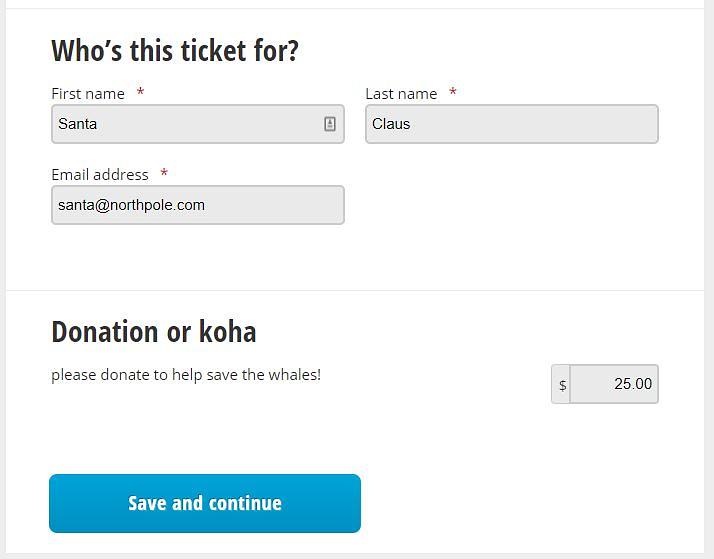
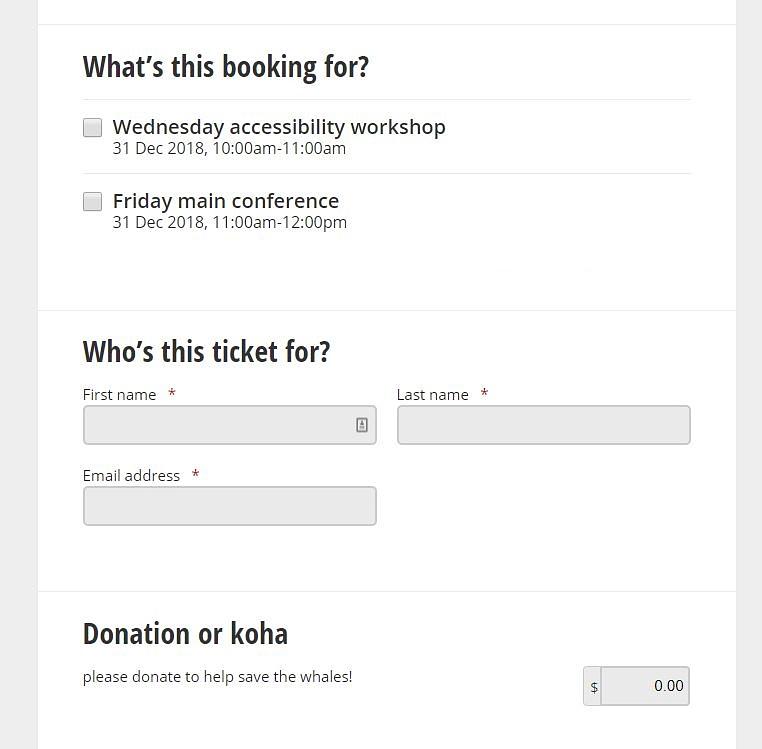
Essentially, if you choose to add this feature to your event, attendees will now see the following on your event’s registration form:
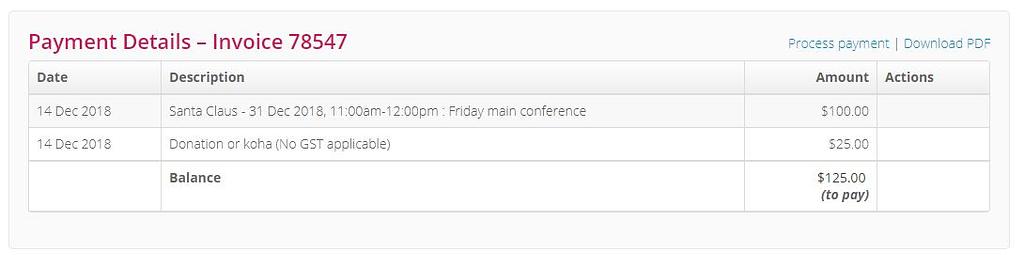
If a donation has been made by an attendee, the details will show up on the Bookings page:
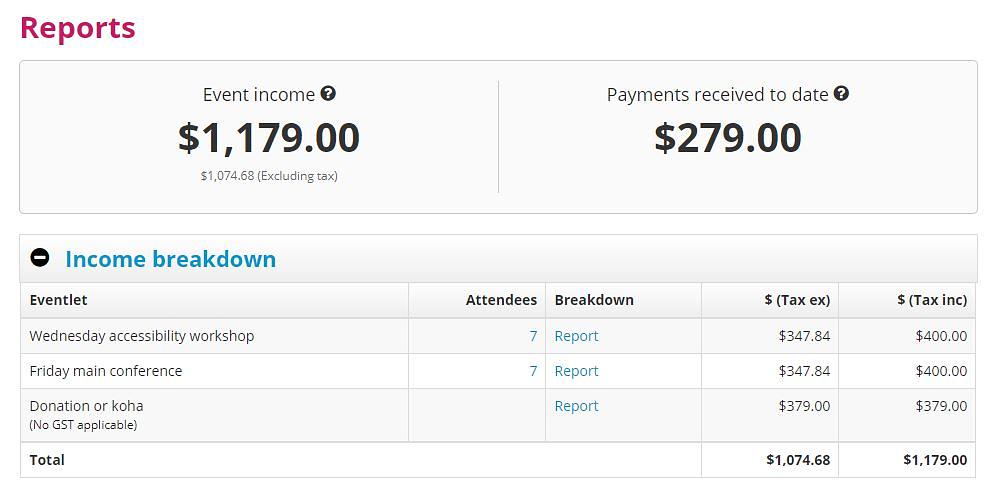
In addition, further information about the donation can be found under the Reports section, with a summary displaying in the ‘Income breakdown’ section.
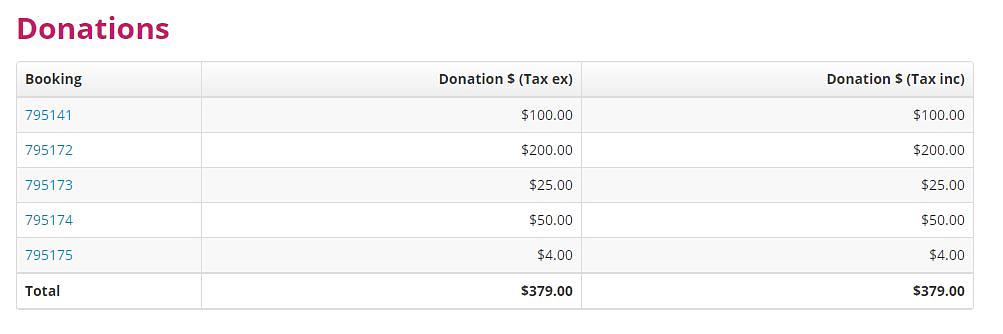
The related Report link will show a list of each donation, with a link back to the related booking.
There are also new related fields that have been added to the bookings data export:
Setting up an event with donations
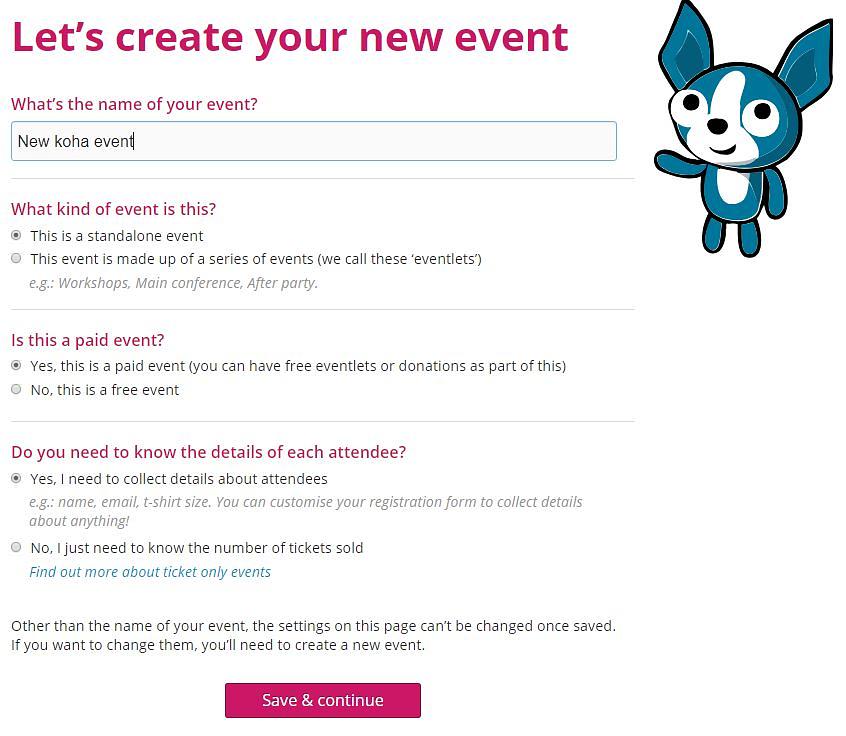
To enable the donations feature, it’s essential to set up your event (or eventlet) as a paid event.
This is also the case for events which may be donation-only, which we’ll show you how to set up, below.
Work your way through the form (if you are new to Lil Regie you might want to take a look at our “Creating a Lil Regie event” article), and when you reach the Ticket Pricing page, you’ll want to select the donation option.
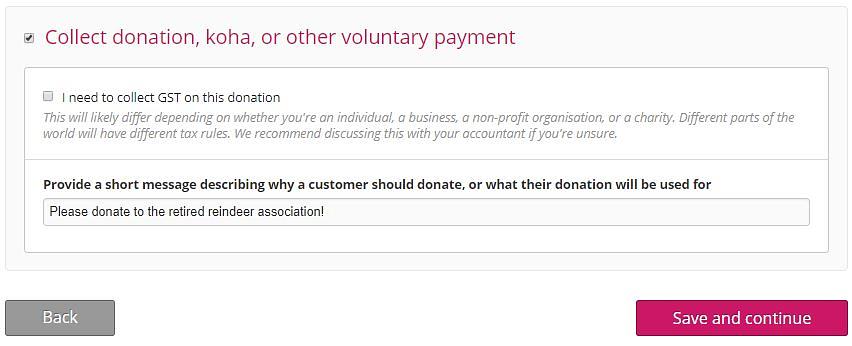
Here you’ll be able to specify whether you are collecting GST/tax on donations (requirements on this vary depending on a range of factors; as such we recommend confirming this with your accountant). There’s also a field here to let you add a short message specific to the donation.
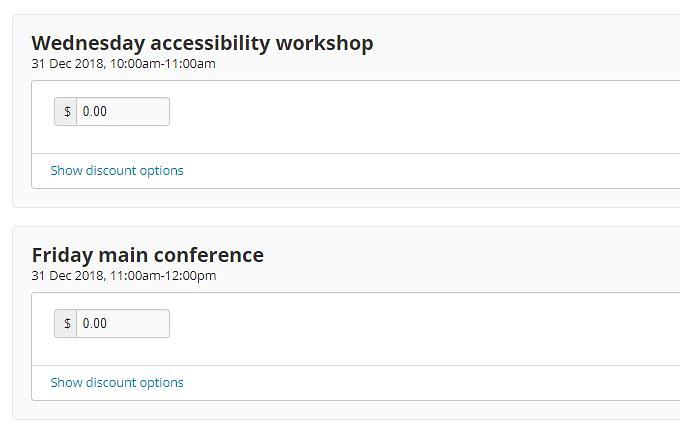
The Ticket Pricing page is also where you will need to tweak things if you are running your event as a donation-only one.
It’s important here to ensure the price is set to $0.00. (Leaving this field blank will result in attendees not able to select the event!)
The resulting form lets attendees select one or both (free) eventlets, with an optional donation:
Fees
Because the intent of Donations is that they are for a good cause, there are no Lil Regie fees charged for them. It’s a little something we’d like to pay forward!
Note that where the donation is paid by credit card, normal merchant fees will apply.